Native Desktop Widget
pixelbar
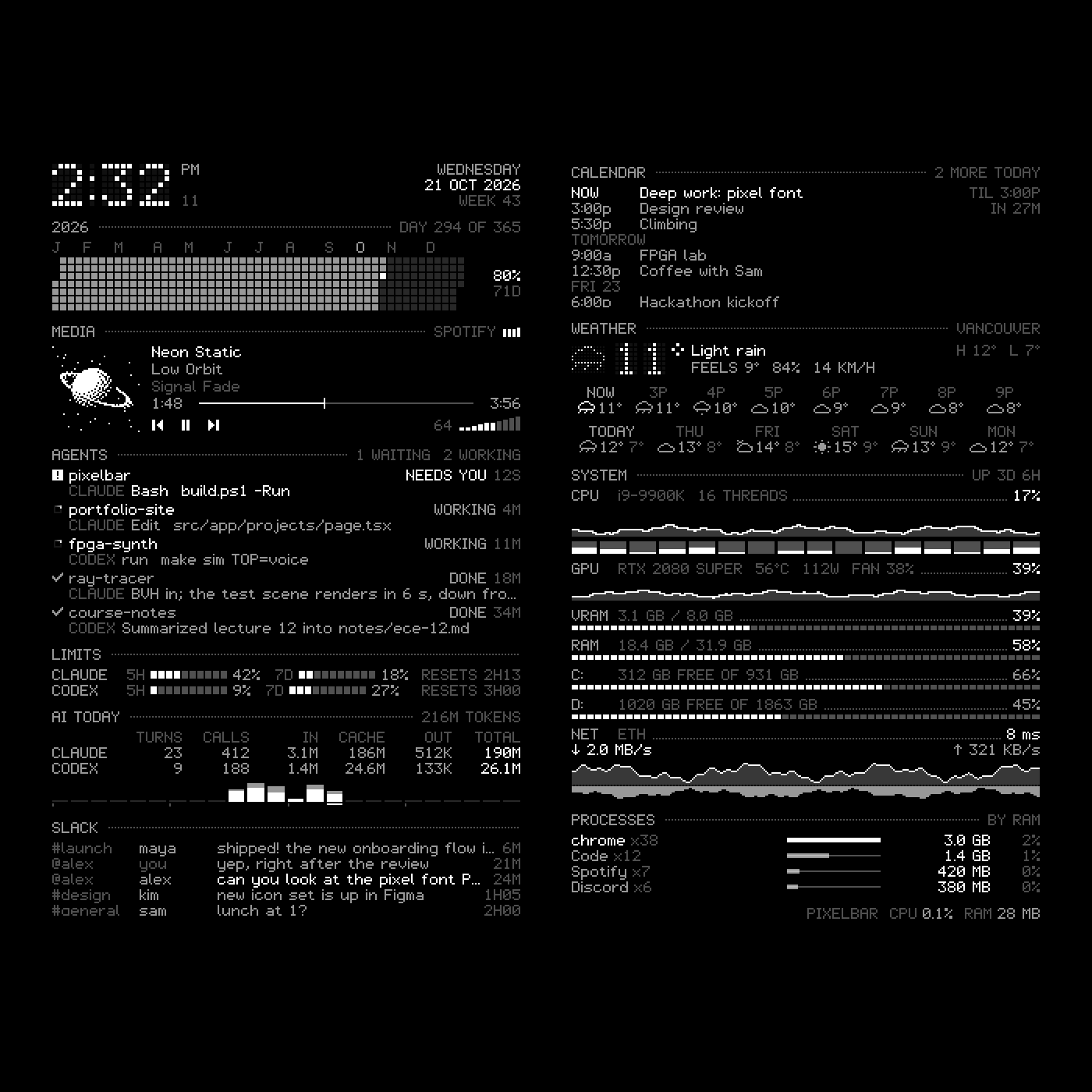
A Rainmeter-style status column for the edge of my Windows desktop: eleven widgets in white 1-bit pixel art, from a dot-matrix clock and dithered album covers to what every Claude Code and Codex session is doing, drawn by one native C++ window for a fraction of a percent of the machine.
Employer signal
What This Project Shows
A native Windows program that runs all day beside everything else without showing up in Task Manager: Win32 windowing, WinRT media, DXGI frame pacing and log parsing across files of hundreds of megabytes, held to a strict pixel-art standard. It is also the clearest example of how I work with an AI implementer. Claude Code wrote the code from my brief over two days; I set the design rules, judged every build on the real desktop, and made each number on screen survive a second, independent measurement before I believed it.
Problem
What Needed To Be Solved
The leftmost of my three monitors sits on a plain black wallpaper, and I wanted it to carry a column of status in white pixel art: music with real controls, system load, and above all the state of my AI coding sessions. That last part is the hard one. Neither Claude Code nor the Codex side of the ChatGPT desktop app tells other programs what a session is doing, so which session is working, finished, or waiting on me has to be inferred from the logs they write: files that run to hundreds of megabytes and are being appended to while they are read. A pending permission prompt never reaches Claude's transcript at all. A widget engine built on counters and gauges has no way to know any of it.
Approach
How I Built The Solution
Three rules shaped it. Native and small: one layered Win32 window drawn pixel by pixel into a premultiplied buffer, so the column never competes with the apps beside it. Derived rather than polled: everything on screen comes from what the system and the apps already write, only the weather, the calendar and Slack touch the network, and their secrets live in Windows Credential Manager rather than the config. And pixel art first: one hand-drawn 5x7 font at 1:1, dot-matrix renderings for the big numbers, 1-bit dithering for album covers, dense rows, bars that span the full width, and motion that is quick rather than floaty.
Outcome
What It Demonstrates
It runs all day on my left monitor: about 6,100 lines of C++ in 15 files, built into a 714 KB executable that holds eleven widgets at about 1.6% of one core while something animates and under 30 MB of memory, started at sign-in and controlled from any prompt with meter start and meter stop. The code is public, with the README's images rendered from demo data. The honest gaps: there is no automated test suite (verification is rendered frames, frame-by-frame recordings and an independent recount, each repeatable from the command line rather than in a harness), Win+D handling is written but has never been exercised, a Codex session waiting on an approval still reads as working because that prompt never reaches its log, and GPU detail needs an NVIDIA card. It was built in about two days with Claude Code as the implementer; my part was the brief, the design rules, the judgement on every build, and the insistence that each number be checked by a second measurement. The judgement I would claim from it is that last habit: the token table, the frame pacing and the footer all looked believable before they were checked, and two of the three were wrong.
Screens

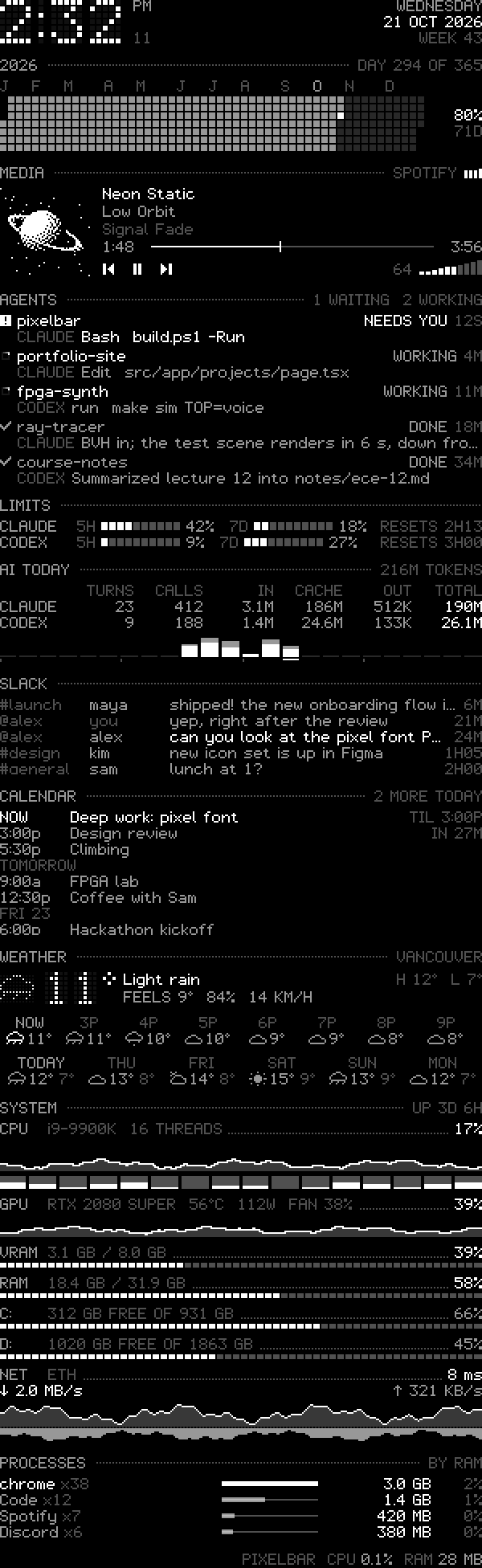
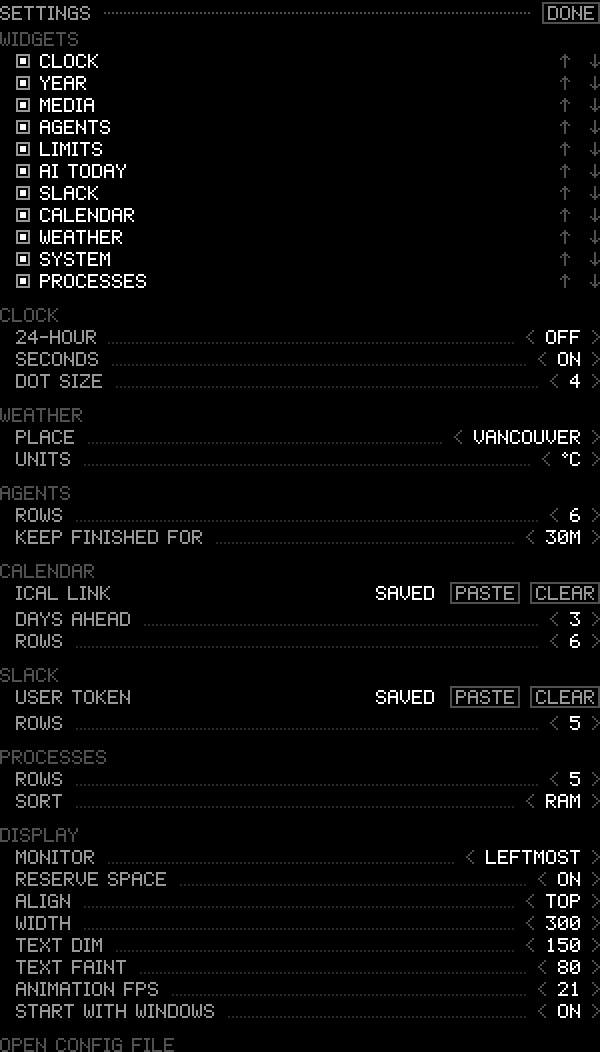
Evidence From Source
A font that lost the pixel feel
The first readability pass traced the 5x7 glyphs at double resolution. On the black desktop it read as thin vector strokes and lost the look the project existed for, so it was reverted: the font stays native at 1:1, and the only large elements, the clock and the temperature, became dot-matrix renderings of the same glyphs, which keeps big numbers pixel art without blocky 4 px squares.
Token counts against an independent recount
The AI usage table was checked against a separate Python recount of the same logs. Calls and tokens matched exactly at the moment of comparison (Claude 195 calls, Codex 129), and the recount exposed a bug the table alone could not: compaction summaries and the app's injected task notifications were being counted as turns I had typed. Turns now exclude subagent briefs, compaction summaries and any tagged system message.
Motion measured, not eyeballed
The --record mode writes every composed frame with its timestamp. The first recording showed gaps anywhere from 0 to 35 ms between frames, because renders came from a coarse timer and from every data update. After motion moved onto the vertical-blank pump the gaps were a steady 20 ms, which looked wrong until a display query showed that monitor runs at 50 Hz: exactly one frame per refresh. The same recordings show each fill-in landing in about 200 ms with no overshoot.
A column that died with the Claude app
After a Claude desktop restart the column was gone. It had been started from an agent's shell, inside the app's process job, and went down with it. Launches now go through Explorer, a job-membership query confirmed the new process sits outside the agent's job, and the same launch path went into the build script and the meter start command.
A 200 with nothing in it
Weather replies came back 200 OK with zero bytes, then a read error (E_ABORT). The cause was WinHTTP's automatic decompression of gzip replies; with it removed and the body read until the stream ends, the same requests parse.
Events on the wrong day
All-day calendar events landed on the wrong day because ICU's default zone inside the process came out as UTC. Floating and all-day times now go through Windows' own local-time rules, and an unknown TZID falls back to local time rather than UTC. A synthetic calendar with weekday rules, a UTC event, all-day events, exceptions, a counted daily rule with a moved instance and a cancelled event was used to check the expansion.
Its own cost, on screen
The footer shows the column's own CPU and memory, measured the way Task Manager measures every other process. Against Windows' performance counters in the same seconds it read 27 MB to their 27.5 MB, and between 0.0% and 0.4% of the machine.